MDP: Minimum Delightful Product

Minimum Viable Product, or “MVP”, is a startup buzzword that is actually a powerful concept for product development. It basically means creating a product that has just enough functionality for early customers to use, and helps guide future development. It greatly shortens feedback loops and can help companies avoid investing huge amounts of resources designing more complex products or features that customers don’t want. Building an MVP is a central part of the “lean startup” approach espoused by Eric Ries and others, and is used by startups and even larger companies to build Web, mobile, PC, and enterprise software. This post is about a variation known as MDP, or Minimum Delightful Product.

I first heard about this interesting twist on MVP from startup veteran and marketing guru Adam Berrey. In a 2011 email about a consumer app my company was developing, I mentioned MVP. He noted the importance of design and user experience (UX):

“For consumer apps, I like to think about ‘minimally delightful product (MDP)’ instead of MVP. The reason for this is that in the consumer world ‘viable’ isn’t really compelling. It’s like someone in the ICU. They are alive, but not really fun to hang out with. Create a product with just enough features (lean) and the right UX to be delightful, and you’ll capture the passion of consumer users.”

Taking a prototype from MVP to MDP

Adam’s idea resonated with me — imagine taking the UX to the next level in an MDP. It might take extra time, but there would be a payoff in terms of better adoption rates for the new product, which translates to more plentiful and more accurate feedback and usage data. MDP lets people get past potential qualms about simple UX or amateur design elements, and spend more time on the products features. These experiences can help founders identify what needs to be improved or jettisoned for the next version.

MDP can also result in better word-of-mouth loops, both online and off. I once heard Mint founder Aaron Patzer talk about the launch of the personal finance tracking website, and how paying attention early on to UX and design elements like fonts, the number of screens and even the name of the service led to viral growth as users told their friends about the service. Marc Hedlund, the CEO of Mint competitor Wesabe, acknowledged that this factor contributed to Mint’s success … and Wesabe’s eventual demise:

“Mint focused on making the user do almost no work at all, by automatically editing and categorizing their data, reducing the number of fields in their signup form, and giving them immediate gratification as soon as they possibly could; we completely sucked at all of that. … It was far easier to have a good experience on Mint, and that good experience came far more quickly.”

Naturally, getting to “delightful” may be a challenge. Design and UX choices can be complicated. They can also be very subjective — what appeals to one group of users may not work with others.

MDP examples: Bikes to books
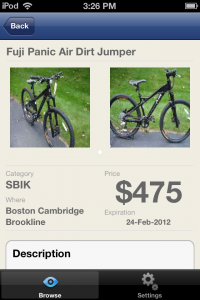
MDP Minimum Delightful Product example for a mobile app
MDP example

For my old company, we employed MDP in early versions of our product, which was a classified app. People loved it. It looked better in the app store, which resulted in more downloads. The app also had engagement rates that were well above the norm — something like 20% of users were still using the app a month or two after downloading it, and average session times were several minutes long.
<!–

Dropbox Guide
–>
I also used the MDP concept for my second startup, In 30 Minutes guides. While I employed an “MVP” to test the idea (a Dropbox book in ebook and paperback formats) I quickly swapped out my amateur cover for a professionally designed cover, which resulted in more sales and a brand identity that I am still using today.

Update: Adam Berrey, the marketing expert who coined the phrase “Minimum Delightful Product”, has since written his own blog post elaborating on the MDP concept.


Positioning: A powerful marketing concept (with some limitations)

A few years ago, I picked up Positioning: The Battle for Your Mind, by Al Ries (with Jack Trout). It’s a quick read, and an old book (it was written in the 1980s, and based on a series of articles for Advertising Age that date from the early ’70s) but it was recommended by Lean Startup practitioner Ash Maurya, author of Running Lean. When I began writing books, I used some of the ideas in Positioning to position Dropbox In 30 Minutes as well as a second guide that is like a Google Docs for Dummies alternative. But it wasn’t just the technical topics that appealed to people — I actually created a series of guidebooks that can be read in 30 minutes. I learned from customers that this “positioning” is very compelling. It’s worth digging into the concept to learn how it can be applied elsewhere, while keeping in mind that there are some limitations.

Positioning, by Jack Ries with Al Trout

Summary of Positioning by Ries and Trout

Positioning starts with several compelling premises. First, we are constantly bombarded with marketing messages. “We have become the world’s first overcommunicated society,” Ries writes. “Each year, we send more and receive less.” As a result of the huge volume of marketing messages, advertising is like a “very light fog that envelops your prospects.” Note this was written long before the advent of the World Wide Web and mobile phones!Beyond the challenge of getting noticed, is the issue of convincing people to believe in the messaging. According to Ries, this is where many companies make a big mistake — trying to change audiences’ minds that their products are better than the market leaders.

“Were the average consumer rational instead of emotional, there would be no need for advertising,” Ries says. The reasoning here: Customers would gravitate toward better-quality products, regardless of who produced them or how they were marketed.

Of course, that’s not what happens — people tend to gravitate toward the familiar brands and products at the “top of the ladder” for each product category. And knocking the market leader off that ladder with claims about quality is nearly impossible.

Therefore, according to Ries, it makes sense to work with what customers already know. Strategy should be built from the perspective of the “prospect”, rather than the perspective of the company (and the ego of company executives). Often, this involves finding the hole that the market leaders have neglected or don’t serve well.

These are the concepts that lie at the heart of Ries’ and Trout’s thesis, and they use many case studies and examples to illustrate the companies, brands, and products that have successfully positioned themselves in the mind of the consumer. Consider these examples from decades past, and the holes that they filled:

  • 7-Up: “Uncola”
  • VW Bug: “Think Small”

In the first example, 7-Up was introduced to a market which associated “soda” with “cola”. It filled a hole for people who wanted something other than cola, which was at the top of the sweetened carbonated beverage ladder. The original VW Bug couldn’t compete with what drivers saw in the size and power of cars from Detroit, so its marketers sidestepped those issues and concentrated on the hole that Detroit had neglected — small vehicles, which have their own advantages in the minds of the prospect: price, parking, fuel use, etc.

Other marketing strategies in Positioning

There are other strategies Ries mentions in Positioning. One involves invoking other successful products. One clever example involved positioning Jamaica as “The Hawaii of the Caribbean.” It’s a great line, but it apparently fell victim to micromanagement at the highest levels of Jamaica’s government.

However, I had to question other parts of Positioning. For instance, Ries spent a lot of time discussing the importance of of having the right name. Some of this makes sense, such as the example he used of “Hog Island” being a poor choice for a tropical resort until it was renamed “Paradise Island.”

But should companies completely avoid “coined names” like Coca-Cola? I think the jury is still out on this one. Ries states that it’s “dangerous” to have “mean-nothing” names, and it only seems to work when the product is first-to-market, like Xerox. But in the digital age, we have seen a slew of successful companies and products that have obscure or semi-relevant names (Google and Google Docs, Apple and the iPod, Nintendo and the Wii, etc.) None were first-to-market in their respective categories, yet all have been runaway successes.

On the other hand, some people in the digital realm are still firm believers in using easy-to-remember and easy-to-spell names. At a conference a few years ago, I heard Mint cofounder Aaron Patzer talk about spending a lot of time on finding (and paying for) the right name. The personal finance tracking site had to be easy to understand, spell, and enter into a browser address bar. He also thought his competitors were crazy for choosing names that were hard to spell or pronounce — he specifically mentioned Geezeo.com and Wesabe.com.

Ries also struggles with disentangling positioning problems from other business problems. For instance, he suggests that Eastern Airlines was failing at the time of the book’s writing because of its name (“when prospects are given the choice, they are going to prefer the national airline”). No mention was made of deregulation, new competition, Eastern’s fleet, or the titanic management/labor struggles Eastern was dealing with at the time.

Positioning a big company vs. positioning a startup

It must be noted that the ideas in Positioning are often best suited to major national brands and multinational corporations. Startups may find some lessons here — I certainly derived value in the hole and ladder concepts described above. But other theory and examples will resonate best with people who work for Google, G&E, and other giants of the corporate world, in which big-budget advertising campaigns and months-long market research studies are possible. Ries is clear that it takes time and money to follow his advice (e.g., “If you don’t spend enough to get above the noise level, you allow the Procters & Gambles of this world to take your concept away from you”). Of course, time and money are two things that most startups don’t have.

Lastly, Positioning is a book from another era — the golden age of one-way mass media. It was written long before the Web, social networks, and mobility had a chance to impact the way people communicated and formed opinions. Technology-driven trends such as the Web or mobile phones as well as game-changers such as Google search results must be considered in any discussion about marketing, but these developments came too late for Positioning. On the other hand, it leaves a few holes that I am hoping other authors, bloggers, or experts will try to fill.

Releasing a C. diff guide

Last month, my publishing company released its first title about a health-related topic: C. Diff In 30 Minutes: A Guide To Clostridium Difficile For Patients & Families. C. diff is an obscure term, but it refers to a common bacterial infection that affects the lower intestine. C. diff in hospitals is a serious problem, and the incidence of C. diff has nearly quadrupled in the past 20 years in the United States, as the following chart shows:

C Diff Hospitals: 1993-2009

Even though C. difficile is a relatively common infectious disease (see What Is C. Diff?) there are limited online resources for patients and families. As of this writing, there is only one other book about the topic available on Amazon.

C. difficile book about C. diff

The importance of a C. diff expert

The author of C. Diff In 30 Minutes is my father Thomas Lamont, a gastroenterologist and Harvard researcher who has seen thousands of patients suffering from the ailment. Last year, as I was getting In 30 Minutes guides off the ground, he offered to write this title. I gladly accepted — I’ve been interested in expanding beyond pure software and technology topics, and this would allow me to evaluate how niche topics fare in the health field. Because of his busy schedule, it took some time to release C. Diff In 30 Minutes, but both of us are proud of the result. You can order the C. Diff book here, either as a paperback or as an ebook that can be read on a Kindle, iPad, Nook, or other e-reader.

In addition, I am working on another health-related In 30 Minutes guide. It is also oriented toward patients and families, but does not get into treatments or causes of the disease (sadly, this other ailment cannot be treated). The author is someone who spent more than a decade caring for a sick parent, and not only has expert insights into care-related issues, but will also talk about the impact on families. I’ll reveal more information about the title when it’s released later this summer.

Experimenting with bulk orders targeting the educational market

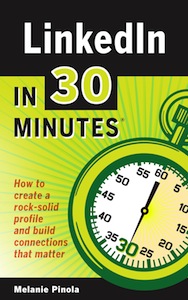
LinkedIn User GuideThe experimentation continues. Last week, I launched a new marketing and sales experiment for LinkedIn In 30 Minutes, a LinkedIn book for newbies. It involves bulk sales of the paperback to a special audience segment: Career services offices of colleges and universities in the United States.

My hypothesis: Staff at career services offices of colleges and universities directly serve an audience we are already targeting: People who need to know how to improve LinkedIn profiles in preparation for a job search. Students and recent grads may not have much professional experience to begin with, or in the case of graduate students, they may have career gaps because they have been out of the workforce for several years. They want to present themselves in the best possible light to potential employers and LinkedIn recruiters, and having a rock-solid LinkedIn profile is critical. These are the types of readers we want for LinkedIn In 30 Minutes!

But the problem is: They may not know about the guide, or may not be looking for this type of guide. How can we reach them?

The bulk order pitch to career services offices

I decided to reach out to a few career services offices at universities, ranging from smaller schools such as Suffolk University in Boston to larger schools such as the University of Texas system. I found the contact information of some schools on the Web, and crafted a simple email pitch. Here are the elements:

  1. I am the publisher, and we have a new book. Here is a PDF sample to download for your personal review
  2. I would be happy to mail you a paperback copy. Just say the word.
  3. Here are some specific lessons that will help your students use LinkedIn
  4. Find out more on the book website
  5. We can also arrange for bulk orders

I was most interested in the response rate for the paperback book. If they asked for one, I figured that would indicate a strong interest for a bulk purchase. So, I set up some bulk purchase options for LinkedIn In 30 Minutes. Of the 5% who responded with a request for the paperback, I mailed them a copy with a cover letter outlining the bulk prices. So far, no one has indicated they want to purchase a bulk order, but I will follow up with a call next week (Update: three bulk sales so far!). I’m really interested in finding out whether the guide meets their needs, and if so, what sort of bulk purchase terms would be most suitable — for instance, payment by credit card or invoice, the size of the bulk order, etc.

How to get started with LinkedIn, and dealing with too many features

LinkedIn Book cover
The cover of the new LinkedIn book

Last week, the latest In 30 Minutes® guide was released, a LinkedIn book. It’s really aimed at career-minded people who are just getting started with LinkedIn. However, I was reminded by the author — Melanie Pinola — that another target audience includes those people who have created rudimentary LinkedIn profiles, but have never optimized them for effective networking or job searches.

One of the challenges that Melanie and I faced was limiting the scope of the guide. LinkedIn can be a complicated tool — beyond profiles, there are a lot of features and extra services that are available. In line with the “In 30 Minutes” concept and the fact that the book targets LinkedIn newbies who might not even know what LinkedIn is, we really scoped it down to the basics: How to register for LinkedIn; how to improve your LinkedIn profile with keywords, headlines and summaries; networking strategies; job searches and the “hidden job market,” etc.

Dealing with too many LinkedIn features

Before she got started, Melanie produced an outline and we discussed the contents and what not to include. For instance, I asked her not to spend too much time on integration with Twitter. Setting up a LinkedIn company page is also out of the scope of the guide. I tell authors to aim for between 10,000 and 15,000 words, but in this case the first draft of the book came in at 18,000 words. While I like giving readers more than they bargained for, I also want to make sure the book can be read in a sufficiently brief period of time. What to cut?

A few wordy examples were obvious candidates for removal, but there were some other more significant sections — such as one about researching companies on LinkedIn — that were harder to get rid of. In the end, we decided to re-use as much as possible — some of the examples will reappear as blog posts that Melanie authors, while the more substantive examples will be “extra content” for the book website. We’ve also begun to plan posts for other audiences, such as this one targeting LinkedIn recruiters. It’s good for our readers, and it is also good for attracting new readers to LinkedIn In 30 Minutes .

Repurposing ebook content on blogs

One underutilized tactic for marketing how-to guides involves repurposing ebook content on blogs. This is not the same as giving away free chapters, which is common in the fiction world, or republishing excerpts of biographies, which sometimes appear in magazines or the Wall Street Journal. While both of those approaches are valuable marketing tools, they are mainly intended to introduce the title or author to a wider audience. By contrast, the main purpose of repurposing ebook content on blogs is to help people solve specific problems — which may help them see value in the rest of the how-to guide.

Let me give you an example. My second In 30 Minutes title about Google Drive is about 15,000 words long. It’s aimed at beginners just getting started with Google’s free online office suite. It contains everything from basic setup to sections on using Google Docs, Google Sheets, Google Slides, storage, collaboration, and other functions and features within the suite.

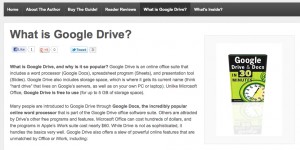
I realized that some of the ebook subsections could stand on their own as blog posts. For instance, “What Is Google Drive” became its own page on the official product website. It’s a common question among new users searching the Web for information, and may lead to some of them considering the ebook or paperback versions of the guide. Similarly, I took a few other 200-400 word bits (example: “How to revert to an old version of a Google Drive file”) and used them for a book promotion taking place on ITworld.com.

Why repurposing ebook content online is a good marketing tactic

This type of ebook content repurposed as blogs posts should not be viewed as “giving away the farm”. It’s only a small percentage of the total ebook content. Further, as I noted earlier, it can help new users solve a problem while seeing value in buying the rest of the ebook.

Example of repurposing ebook content: What is Google Drive?

(This tactic, incidentally, aligns well with the online content marketing advice given by author Derek Slater in his recent In 30 Minutes guide).

Monitoring sales of Dropbox In 30 Minutes

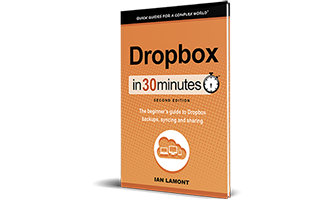
Dropbox In 30 MinutesDropbox In 30 Minutes has now been available for about nine months. For nearly as long, I have been monitoring interest in the Dropbox user guide, by closely watching sales. At first the book was only available as an ebook for the Amazon Kindle, but by the start of 2013 it was available for multiple e-reader, screen, and paper formats, including:

  • PDF (first via e-junkie, now gumroad)
  • Barnes&Noble/Nook
  • Apple/iTunes
  • Kobo
  • Paperback (via print-on-demand distributor CreateSpace)
  • Direct purchases of .mobi and .epub (which bypasses Amazon.com, iTunes, and other corporate ebook stores)

It was fascinating watching the evolution of the readership, especially after the paperback edition of Dropbox In 30 Minutes was released last November. While the Kindle edition has been a strong seller from the start, sales have plateaued. Meanwhile, the paperback rapidly gained  fans and by February 2013 had overtaken the Kindle and all other versions. Note, however, that Amazon is also responsible for all paperback sales — it owns the POD service CreateSpace, so the paperback listing is automatically fed into an Amazon product page (which is now linked with the Kindle product page).

Monitoring a sales slowdown in ebooks

Getting back to the Kindle version hitting a sales plateau: I’ve been thinking a lot about what could be happening. Certainly, there is more competition for readers, both on Amazon itself and online. But there are other possibilities, including falling interest in Dropbox among my target audience. What could cause a once red-hot technology to slow down in popularity? Factors could include competition from giants in the space (for instance, Microsoft Skydrive OneDrive or Google Drive), negative publicity (such as security concerns), or a maxing out of the potential audience. For now, I am discounting the idea that Dropbox is dropping in popularity, and am more focused on the competition — and how to make Dropbox In 30 Minutes and the free online resources such as videos and blog posts even better.

Bowker’s deceptive ISBN practices

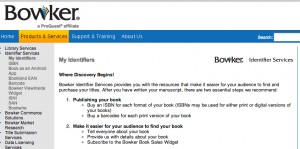
About Bowker's deceptive ISBN practices target new authorsEarlier this month on the In 30 Minutes corporate blog, I wrote a post about Bowker’s deceptive ISBN business targeting new authors. Bowker is a monopoly that controls the assignment of ISBNs in the United States. ISBNs are numbers used by the book industry to track the publication and distribution of printed books.

You might think that Bowker’s ISBN business is suffering because of the rise of ebooks, and the decline of print. Not so! Bowker states that the number of ISBN registrations has actually exploded in recent years, and even recorded nearly 13,000 ebooks printed by “small presses” (e.g., independent authors and small publishers) in 2011.

Hold on. Why do so many indie authors bother registering ISBNs with Bowker? Consider this: ISBNs are not necessary for ebooks — Amazon, iTunes, and other platforms that sell ebooks don’t require them. Further, Bowker rips off people buying small lots — as I described in the In 30 Minutes blog post, Bowker charges $125 for those buying a single ISBN! What do they get? A thirteen-digit number. They are so cheap to produce, that Canada gives away ISBNs to Canadian authors for free, and Bowker sells them for a dollar or less to publishers buying huge lots.

Why buy a Bowker ISBN if you are a new author?

The reason why thousands of small authors are buying ISBNs is because many don’t know any better — and Bowker aggressively markets to inexperienced authors’ fears and concerns. The company tells new authors:

Buy an ISBN for each format of your book (ISBNs may be used for either print or digital versions of your books)

At the same time, Laura Dawson, Bowker’s ISBN product manager, tells the publishing industry this:

If the author is selling direct from her own website, or solely through Amazon (which doesn’t require ISBNs), then no ISBN is necessary.

Sound like a two-faced scam? I certainly think so. Read my complete take here: Bowker’s 12,500% markup for new authors

Incorporated my publishing business

January was a big month for my book venture. I finally incorporated. The company is called i30 Media Corporation. For now, the official website is in30minutes.com, which contains links to all of the book websites in the In 30 Minutes® guides.

Dropbox The venture began operations long before January. I published my first book ebook — a Dropbox for Dummies alternative — in July 2012. For the remainder of 2012 I operated the business as a “doing business as” entity. I used a DBA name for the publisher, but it was not a company in the sense of having liability protection, shares issued, or a distinct tax ID for revenue and banking. Even though I could have incorporated in 2012, I waited for several reasons:

  1. The venture needed to be profitable and on a growth trajectory (profitability in the second month of operations, strong growth soon after)
  2. I wanted to wind down operations of my previous venture before officially launching the new one (old company ceased operations in October, dissolved in November)
  3. I did not want to launch at the end of 2012 and deal with corporate tax returns for just a few months, as well as and other formation costs
  4. Company revenue had to be enough to cover formation costs and some other necessary post-launch fees

All of these conditions were met on January 1. I incorporated, using the very helpful guides at the Citizen’s Media Law Legal Guide (a project of the Harvard Berkman Center, which also hosts this blog!) as well as my own experience incorporating an earlier venture.

What the future holds for my publishing business

Will the venture be successful? That depends on a number of factors. But for the time being, I have created something that readers want and are willing to pay for. Now I have to deal with scaling the series while running it as a real business.

More news about the venture will be published in the coming months. Stay tuned …


Blogger default templates: Which one is the best?

Last week, I published my latest book, I wanted to show small business owners how to cheaply and quickly build an informational website for their businesses using Google’s Blogger service. In the course of researching the book, I did a lot of experimentation with Blogger’s default templates. Which ones are the best?

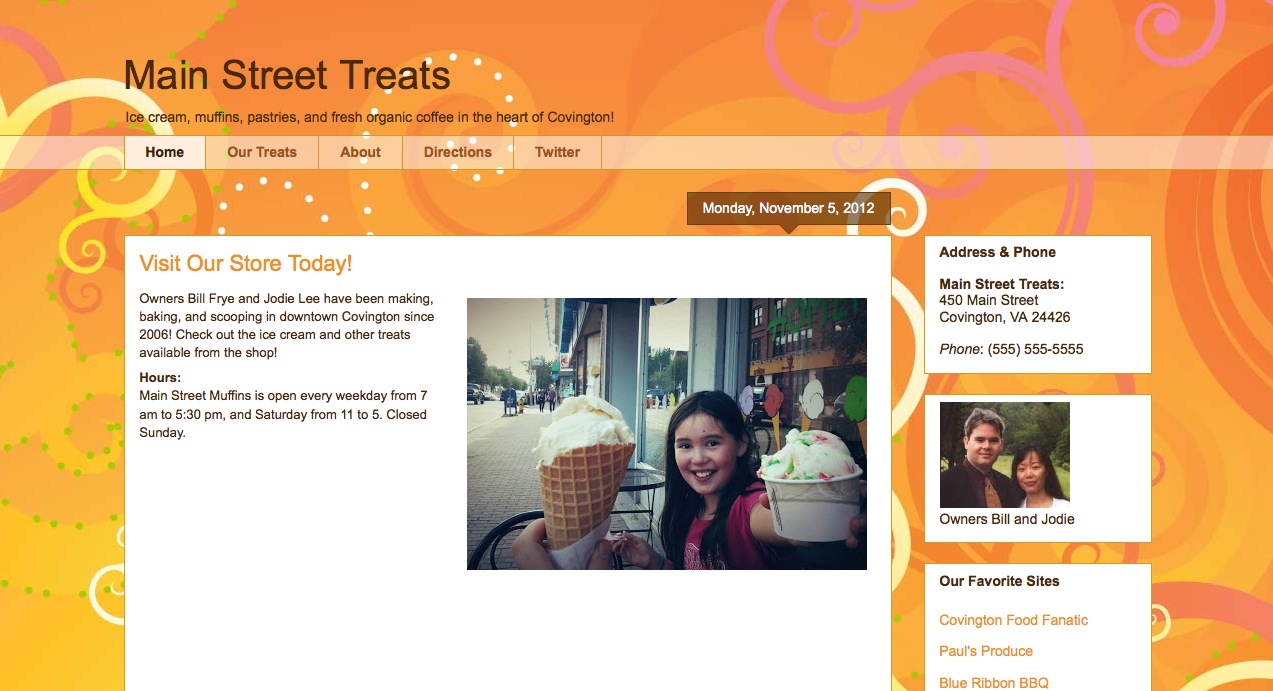
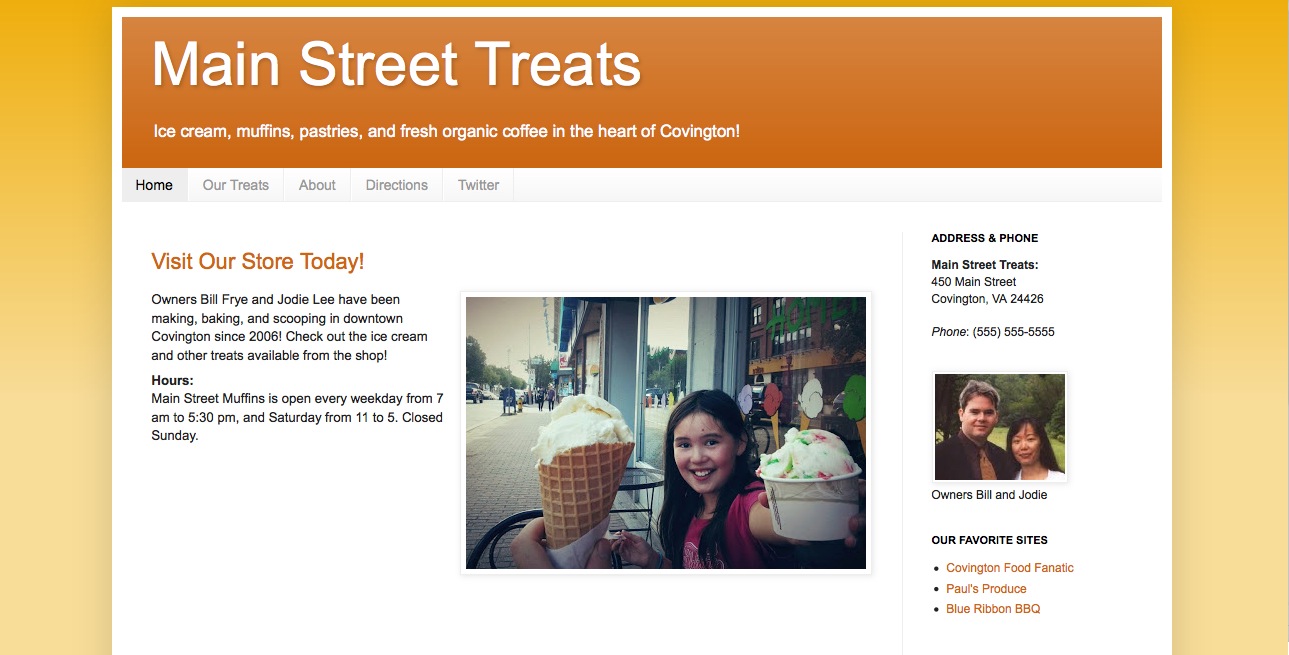
Awesome, Inc. Template: This is one of the template types that I used to build a sample website in the book. It has a bold look in terms of the colors, fonts, and box styles used. Here’s what the sample website looks like, using the basic gray Awesome, Inc. template, as well as an orange Awesome, Inc. template:

Blogger Default Template Awesome Inc.Blogger Template Awesome Inc Orange

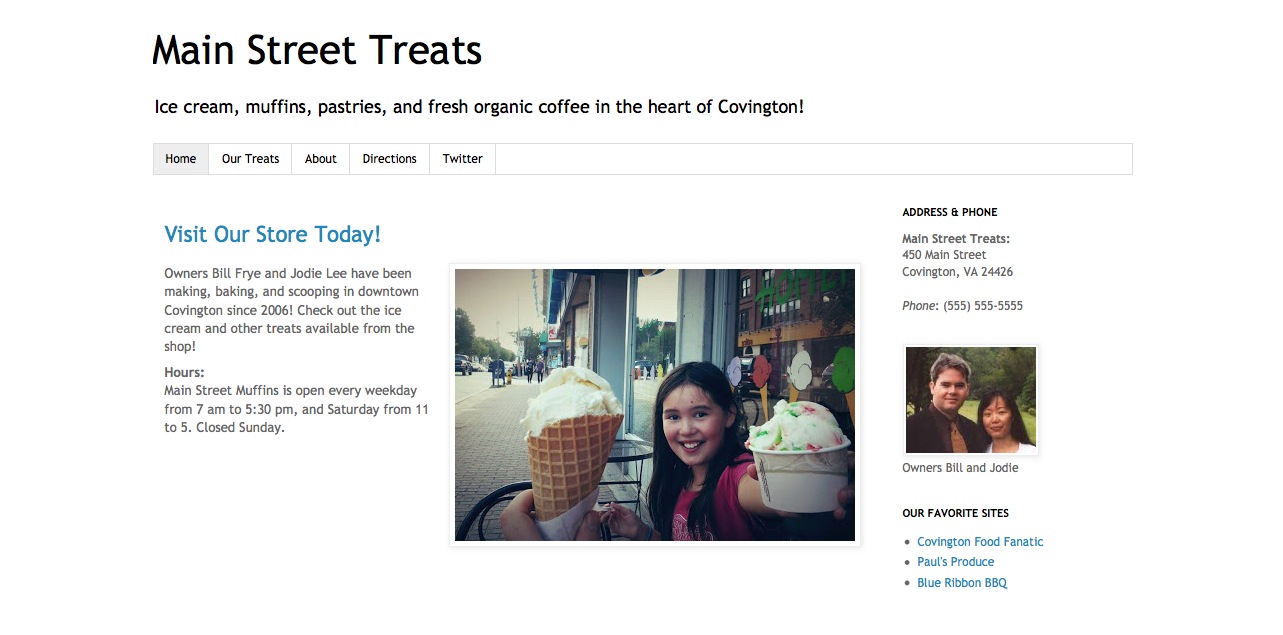
Simple Template: Blogger has a range of styles based on the “Simple” template. The colors and shapes are generally muted, but there are a few distinct types as well. Here are the Simple white and orange templates:

Blogger Template Simple White

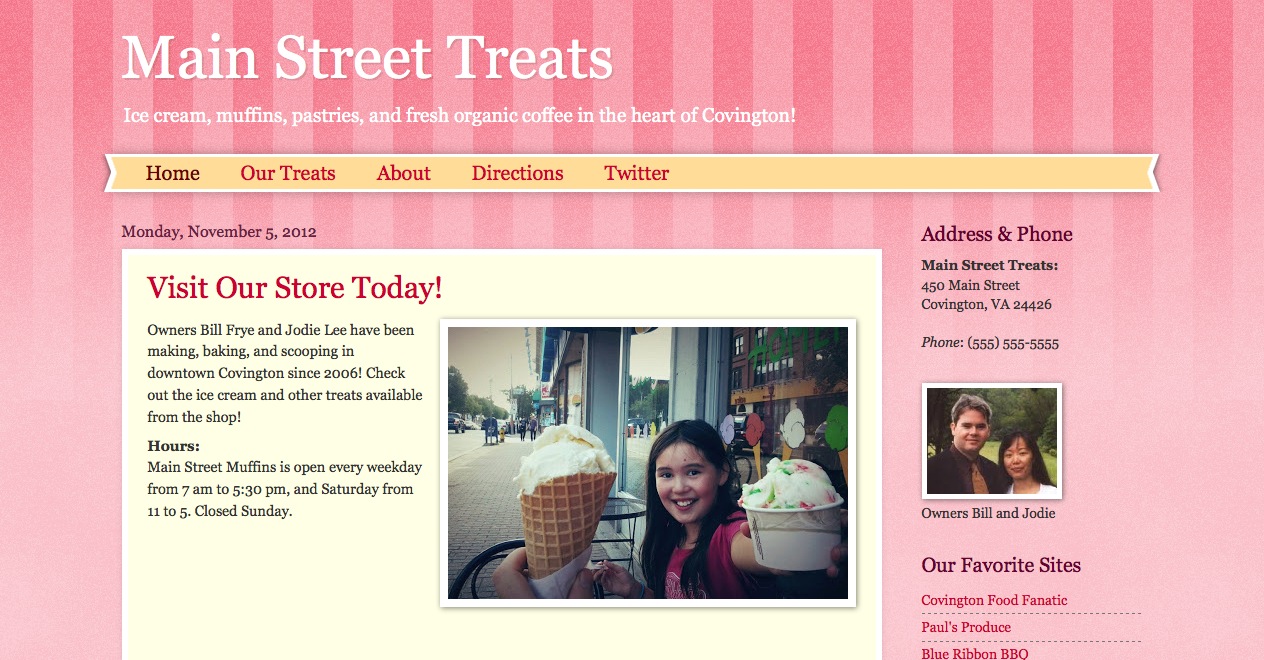
Watermark Template: Finally, there are some playful templates that might fit certain types of businesses or business blogs. Here’s the “Candy Stripe” version of the Watermark template:

Blogger Watermark tempalte

What about the other Blogger default templates? Picture Window, Travel, and Dynamic Views are more oriented toward photographs. This is not a good fit more most small businesses, except for those which have lots of photographs to show. In addition, the Dynamic Views template is based on heavy use of javascript, which causes problems for some users.

Lastly, the Ethereal template is too gentle for most small businesses. I believe that most businesses need to make a strong impression, and Ethereal is just too emo.

What’s inside the book

My book explains how to choose different templates and customize them for static websites (that is, an informational website that seldom changes) or a small business blog. For people who are just starting a business, or don’t want to spend the time or money on an expensive website, this book will teach you what you need to know to get a small business website with its own .com domain for just $10 per year. You can see what’s inside the book here.

Of course, businesses with sophisticated design needs should go for a more advanced template. It’s possible to download custom templates for Blogger (I will write a post about this someday) but many businesses opt for WordPress. That’s fine, but note that WordPress comes with a much steeper learning curve, as well as additional financial and time management costs. I’ll be sticking with Blogger …