What’s the best home office setup for a virtual office?

I’ve worked out of three home offices in the past ten years. I’ve been able to get a lot accomplished in these offices, including writing a graduate thesis, managing a virtual team, and starting my own publishing company. However, if Melanie Pinola’s The Successful Virtual Office In 30 Minutes had been available at the start, I would have been able to get a lot more done in terms of getting the best possible home office setup. This blog post will serve as a review of the book, albeit a biased one — while I really did get a lot of useful information from Melanie’s guide, I am the publisher of the In 30 Minutes series.
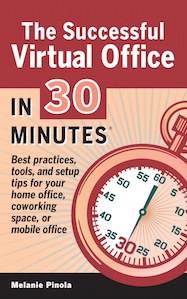
best home office setupMelanie is the author of a top-selling LinkedIn book and writes about home offices, telecommuters, and virtual work for Lifehacker. She’s also About.com’s mobile office expert. As a virtual worker for decades (she started working from a home office in the 1990s) she knows the virtual mindset and what’s required to have a successful virtual office. It’s not just a matter of wanting to work from home, or assuming a Wi-Fi connection and laptop is all that’s required. She methodically works through the different aspects of setting up and maintaining a high-performance virtual office, starting with legal and technical requirements and finishing with a list of Top Tech Tools for home offices. Specific topics include:

Finding the best place to work and creating an efficient home office or remote workspace (Chapter 1)

  • Recommendations for setting up the ideal virtual office, based on the latest research.
  • How to use alternative offices such as coffee shops and libraries to get more done.
  • Four elements of a productive home office.
  • Ergonomics (or how to stay healthy)
  • Must-have supplies for your home or mobile office.

Learning strategies to help you work more effectively on your own and as a virtual team member (Chapters 2 & 3)

  • How to ward off roommates, spouses, children, pets, phone calls, and other daily distractions.
  • Crucial time-management tips.
  • How to work well with other virtual team members.
  • Best practices for effective communication across a distributed team.
  • Dealing with resentful coworkers.
  • Coping with isolation.

Using technology to help you stay productive and connected (Chapter 4)

  • Useful apps for real-time collaboration.
  • Software that can make you work more efficiently.
  • How to secure your digital data.

Applying the tips for the best home office setup

Reading Melanie’s book, I immediately picked up some tips that I could apply right away to my home office setup. They included installing a door to keep out family distractions (especially in the evening, when I am most productive) and dusting off an old space heater to keep my home office warm in the winter months (much cheaper than cranking up the heat for the entire house). The recommended applications included a few that I want to explore further, including Slack. There was also an extensive list of tools and apps relating to coworking spaces, which is a popular mode of work these days (see my review of the Cambridge CIC).

This new book practically pays for itself, in terms of the increased productivity and better insights into virtual offices. Whether you are a freelancer, consultant, small business owner, or are interested in telecommuting, this is a wonderful and effective guide for getting the most out of your home office.

Creating a special Google Docs resource for educators

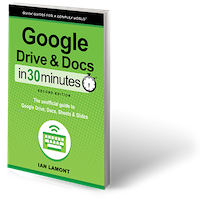
When Google Drive and Docs In 30 Minutes was first introduced more than two years ago, almost immediately I noticed an interesting trend in the traffic logs to the product website. Lots of visitors were coming from schools and school districts all over the country. Then, I started getting huge bulk orders for the books from my two print distributors, CreateSpace and LSI. Emails from some teachers confirmed that their schools had ordered the books as K-12 teacher training for Google Drive for Education. In this post, I am going to discuss the creation of several new products intended to serve teachers, curriculum managers, school administrators, and educational IT professionals who are interested in providing a Google Drive/Google Docs training resource for their schools.

First off, I would like to note that Google Drive and Docs In 30 Minutes is not only about Google Drive and Google Docs. It covers the other programs in the suite, including Google Sheets, Google Slides, Google Forms, and Google Drawings, as well as collaboration and other features. It is the top-selling In 30 Minutes guide, and I just released a revised and expanded 2nd edition.

That said, Google Docs for students is the top draw for K-12 educators. Primary school students are not likely to need spreadsheets or presentation software. In many school districts, starting in 3rd or 4th grade, students begin to practice typing and composition. Google Docs provides an excellent platform to practice, and its collaborative nature also allows teachers to check progress and make comments. For teachers who are new to Google Docs and are using the educators’ version of Google Drive, a book that’s like Google Docs for Dummies (but much shorter) provides an excellent starting point.

A request for a special Google Docs resource for educators

My first thought was to create bulk ordering options for educators at a steep discount. That was easy enough to do. But then I got an interesting request from a teacher:

I also want to know if your would be willing to offer a license for people to have access to it at our school. You see, there are about 150 people learning about Google drive. Maybe 30 of them are English speakers. The school might consider getting a license for people to view the .PDF, but individuals probably won’t want to shell out $4.99 since they see it as something that the school is making them do.

This was an interesting thought. How about offering an affordable license that any teacher or staff member could access on their computers, tablets, or Kindle? I put together a simple license, priced it attractively, and let it fly. The teacher recommended it to his school, and then I started getting other sales.

This month, to coincide with the release of the 2nd edition of Google Drive & Docs In 30 Minutes, I updated the license to include two versions: A single-edition license as well as an educational license subscription, which will provide regular updates to the text of the books as well as extra materials such as videos. You can see the descriptions and prices on the dedicated Google Drive & Docs In 30 Minutes page for education.


How the C. diff book is doing, 18 months after launch

In mid-2013, my publishing company released its first medical-related title, C. Diff In 30 Minutes: A Guide to Clostridium Difficile for Patients and Families. Publishing a C. diff book for patients and their caregivers was a risky proposition. At the time, there was only one other similar title available on Amazon, which didn’t appear to be selling very well, judging by the the publicly available sales data that Amazon displays.

But we had a few things going for us: A well-respected international C. diff expert, Dr. J. Thomas Lamont, was the author of the book (yes, he was easy to recruit – he’s my dad!). We used an easy-to-understand structure that featured practical information as well as case studies based on the author’s extensive experience with patients. I created a solid website with lots of resources for browsers, including a simple guide to what is C. diff, a list of C. diff symptoms and a resource describing basic C. diff disinfectants and procedures for healthcare workers and patients.

I also priced C. Diff In 30 Minutes competitively. It was hard to justify the same cover price as the competing title, which was much longer and had several reader reviews in mid-2013. On the other hand, C. Diff In 30 Minutes wasn’t some Kindle freebie. It contained expert information that can help patients understand and cope with a little-known but devastating gastrointestinal infection. I priced the ebook at less than $10, and the paperback under $15 (which was often discounted).

The result? The guide has been a steady seller almost since launch. With almost no promotion beyond a few hundred dollars in Adwords, the book has sold nearly 1,000 copies, generates a nice revenue stream for the author and my publishing company, and has gotten consistently high reviews from real customers (to date, almost all reviews have been 5-star reviews). Here are some samples:

KS:

“When I learned in 2013 that I had c.diff, I found this little book to be a lifesaver!!! Many doctors don’t know what to tell patients regarding the best ways to treat c.diff, but from guidance in this book, it was a slow process, but I was able to fully recover in roughly 6 months. The book is WELL WORTH its nominal cost!”

Linda:

“This has been the best information yet. I am a former c diff patient. My mother is currently hospitalized with it. We now know what to do for her and how to protect others over the next few months.”

Publishing other types of health books?

The second reviewer also noted that she was glad we had published books “other than computer books.” This naturally made me wonder: What other health/medical titles could we publish? These require a certain degree of expertise and/or deep experience. Unfortunately, doctors are hard to recruit for these projects, mainly because they are so busy (as you may have guessed, C. Diff In 30 Minutes is written by a relative, and he’s too busy to do another one). I had another potential writer with expertise in Alzheimer’s, but he backed out later when he made a cross-country move.

As for C. Diff In 30 Minutes, I hope to expand distribution to hospitals, nursing homes, and healthcare workers. We may also have to release an update in the next few years to cover fecal transplants, which have really taken off since 2013.

Solving the Twitter retention problem

Twitter In 30 MinutesThis week, I released the second edition of Twitter In 30 Minutes. It’s a Twitter book that covers the basics, starting with registration and working its way up to more advanced features such as hashtags and lists. In this post, I would like to talk about a surprising research finding about Twitter retention data that I stumbled upon while preparing the latest edition.

This Wall Street Journal blog post from April highlighted the Twitter retention data, which had been gathered by Dutch firm Twopcharts:

A report from Twopcharts, a website that monitors Twitter account activity, states that about 44% of the 974 million existing Twitter accounts have never sent a tweet.

An earlier WSJ blog post based on Twopcharts data noted that only 11% of the Twitter accounts created in 2012 were still tweeting more than a year later. Twitter subsequently restricted Twopcharts’ access to Twitter data, and a senior executive later claimed Twitter was “happy” many users decided not to tweet — in other words, Twitter viewed some of this inactive population as passive consumers of Twitter, rather than active participants.

Regardless of Twitter’s spin, Twitter has had a problem for years getting people to participate in the service after they’ve signed up. Despite adding tips and constant reminders to tweet and follow other accounts, lots of users have trouble figuring out what to do once they are plunked down in a firehose of short messages, random photos, trending topics, and mysterious Twitter syntax. As the WSJ blogger indicated, millions simply give up.

Solving the Twitter retention problem, one reader at a time

Some of them ended up coming to my Twitter guide. While the first edition of Twitter In 30 Minutes targeted totally new users, I found out that many of my readers already had accounts, and had trouble getting the hang of Twitter. They used the guide to boost their efforts and figure out the more confusing elements of the service.

For the second edition of Twitter In 30 Minutes, I wanted to make sure that I served these two audiences (totally new users, vs. people who already have an account). I tightened the focus around these three elements:

  1. The importance of a good network on Twitter.
  2. How engagement takes place, using examples from real life.
  3. Best practices for creating Tweets, posting photos, and participating in discussions

I also completely redid the screenshots. Many of the first edition screenshots were rendered obsolete after Twitter updated its interface earlier this year.

Google support falls short when it comes to Google Blogger custom domains

Google blogger custom domains support
Earlier this year I published a short “how-to” blog post titled How to renew a Blogger custom domain through Google Apps. I’m mentioning it here, not only because it’s a useful resource for anyone who purchased a custom domain through Google’s Blogger service in recent years, but also because it points to a problem with Google support.

Google has a myriad of wonderful products, ranging from basic search to advanced tools such as Google Earth. I use many of them every day, and even wrote a Google Docs for Dummies substitute. But the fact that I even had to write such a title indicates that Google’s interface design and online support resources don’t work well for everyone.

For instance, Google Blogger has thousands of support articles and forum posts scattered all over the net, as well as related resources from Google Apps and other tools that interface with Blogger. But when it came time for me to renew a Blogger custom domain that I had purchased through Google in 2012, these help resources were useless. I simply couldn’t find what I was looking for to help me access the control panel for my domain.

Contacting a live Google employee for Blogger custom domains support

As described in my blog post, I eventually found a contact form and asked how I could proceed with the renewal. To my surprise (Google has a reputation for limiting contact with actual Google employees) someone responded within 12 hours, with an answer for my problem. It worked! I posted the solution on my blog, so other people in the same predicament could help themselves.

Some people might say that the fact I got a response from a real Google employee so quickly is a sign that Google support is actually quite strong. But I suspect the only reason I got any support was because I was A) using a paid feature (custom domain purchase) and B) it was tied to Google Apps, a premium service aimed at small businesses. The New York Times summed up Google’s attitude toward human support in this 2012 article:

Google, which at 14 years old is a relative ancient in Silicon Valley, is one of the few companies that publishes phone numbers on its Web site. Its phone system sends callers back to the Web no less than 11 times. Its lengthy messages contain basic Internet education in a tone that might be used with an aging relative, explaining, slowly and gently, “There’s nothing Google can do to remove information from Web sites.”

Note: Google has a new process for registering custom domains. See How to use Google Domains to register a custom domain on Blogger

Releasing the second edition of my Dropbox guide

A few months ago, the second edition of Dropbox In 30 Minutes was published. It’s one of our most popular guides in the In 30 Minutes series. In fact, some people mistakenly confuse it with Dropbox For Dummies. This post will get into the thinking behind the second edition of the guide, from content to production to marketing.

Dropbox on a mobile device

Dropbox In 30 Minutes was the first guide published in the In 30 Minutes series. Released in the summer of 2012, it quickly began to sell in channels such as Amazon and Apple’s iTunes store. The paperback edition, released in the fall of 2012, also was a hit. The first edition was downloaded or purchased as a paperback thousands of times over an 18 month period. It currently is listed as one of the top Software Utility guides on Amazon.com.

Not long after making the title available, I recognized a problem: Certain information tended to quickly become outdated. While the core concept of Dropbox — software that helps you sync files between computers and mobile devices — has remained the same, specific aspects of the software have shifted. For instance, the Dropbox logo has had several noticeable tweaks in the past few years. Of a more practical concern for readers, the interface for mobile devices — iPhones, iPads, Android phones, etc. — has been completely overhauled. The desktop program for Windows PCs and Macs has also changed, albeit in a more restrained manner (for instance, right-clicking on a file brings up different options for sharing or manipulating the file in question).

For a while, I made incremental tweaks to the text of the guide and simply updated the content files for the ebook and paperback editions. But then I became aware of two additional issues that needed to be addressed:

  • The “publish date” for the guide, which was listed on the product pages on Amazon, Barnes & Noble, Apple and Bowker’s ISBN database began to look old. For fiction books, “2012” is considered “new”, but in the world of how-to manuals for popular software programs, a two-year-old title starts to look a little long in the tooth.
  • Older versions of the paperback guide were being resold on Amazon. I don’t blame readers for doing this, but the problem is a reader in early 2014 purchasing a used edition from July 2012 would be getting a fair amount of outdated information. This resulted in understandable frustration.

The second edition of the Dropbox book hits the market

Because of this, I decided to issue a Dropbox In 30 Minutes, Second Edition. I hired a review editor to go through the original guide and flag bits which needed to be rewritten and have new screenshots. I also redid the annotated screenshots of the Dropbox mobile application, and added new sections relating to Camera Uploads, security, Dropbox for Business, and more. I’ll continue to do small tweaks as conditions warrant, but I already have my eye on Dropbox In 30 Minutes, 3rd Edition!

If you are interested in downloading or purchasing a copy of the guide, please see the options on this page.

Publishing a jQuery programming guide

Over the past year, I have done several content experiments or expansions in the In 30 Minutes series, ranging from cooking to health and medicine. In this post, I’ll be talking about the jQuery Plugin book that my company released this month. While software has been a focus of the series since the beginning, this is the first title that gets into making software as opposed to using it. The story begins last summer. I am a long-term member of the Hacker News community, and on a thread about ebook publishing I left this comment about best practices for experimental publishing. It got 16 upvotes, which was a nice validation — I am not a hacker, but I like to be able to positively contribute to Hacker News when I can. But the thread moved out of sight, and after a few days I forgot about my comment. Six months later, I received an email out of the blue. It started:

I’ve been checking out your “30 Minutes” series and was originally inspired to write my own ebook after reading your post on HN a few months ago. I have since wrote a small 48 page guide on “jQuery Plugin Development”.  I haven’t launched it yet, just waiting for some feedback after sending it to a few friends first.

The author was Robert Duchnik, a Canadian developer who was living in Thailand. We began corresponding, and tossed around the idea of releasing a programming title as an In 30 Minutes guide. This was an interesting area to expand into. Most In 30 Minutes titles are written for mainstream audiences. They range from Melanie Pinola’s book about LinkedIn to the experimental easy Chinese recipes cookbook on the iPad authored by Shiao-jang Kung. The jQuery Plugin guide was focused on a much narrower, highly technical niche audience. Marketing to this group would be a challenge.

Moving Forward With jQuery Plugin Development In 30 Minutes

Rob’s book had some big things going for it:

  1. He’s a jQuery Plugin expert, with many years of experience in the field and the operator of Websanova, an online resource devoted to jQuery Plugins.
  2. Rob has an existing audience, via Websanova. From previous releases by Melanie and Tim Fisher (author of Windows 8 Basics In 30 Minutes), I have found that those authors who already have existing online audiences have a huge advantage right out of the gate. Not only can they turn to their fans to purchase copies and help spread the word, but by virtue of the fact that they have already interacted with the audience over time they have an innate knowledge of the problems that readers face, and what people want to know. This makes for better books and a better author/reader relationship going forward.
  3. There was already a draft manuscript. It needed some light editing and a proofreader, but otherwise it was in pretty good shape.
  4. The manuscript was short. This is an asset, as we want readers to be able to understand the topic at hand in less than 30 minutes.
  5. The market for books about jQuery plugin development had a hole. Through discussions with Rob and a quick analysis of competing titles, I determined that there is a need for this type of resource (high-quality, quick-start programming guide) on this topic, especially if it were priced right.
jQuery plugins
jQuery Plugin Book

This last point is important. I am not talking about low-balling the competition. There are already lots of free online resources about how to write jQuery plugins. There are also a small number of books about jQuery plugins, but most of them are long and somewhat expensive. There was not much in the middle, in terms of length or price. This is where jQuery Plugin Development In 30 Minutes would live. Rob and I came to an agreement in January, and we moved forward with preparing the manuscript for publication. There were some new writing tools to try out, and some difficulties related to producing code blocks in Scrivener (my primary book production tool) but we established a workflow based on markdown and Github and published the title at the beginning of April. You can read the table of contents for the jQuery plugin book here. The title is available for the Kindle, iPad, Nook, and Google Play, as well as a paperback and a PDF.

In addition, you may be interested in reading some of Rob’s blog posts about jQuery plugin development:


Startup publishing and managing early growth

At a certain point in the lives of most product-oriented ventures, founders confront a slew of growth-related issues. In this post, I am going to talk about growth in the context of startup publishing, and the challenges that my own publishing company i30 Media has faced over 18 months of growth.

Startup publishing example: In 30 Minutes guidesA bit of backstory: i30 Media publishes how-to guides under the In 30 Minutes® imprint, as well as several fiction titles. The most recent release is Windows 8 Basics In 30 Minutes. The venture started in mid–2012 as a Lean Media experiment with just a single title written by myself and distributed on Amazon’s KDP self-publishing platform. Since then I have incorporated the venture. I30 Media has released about ten In 30 Minutes guides in various ebook formats as well as in paperback, and distributes to every major ebook platform (Kindle, iBooks, Nook) as well as growing platforms (Google Play Books, Kobo).

In the first six months of the venture, I was occupied with figuring out the publishing landscape, expanding distribution channels, cranking out early releases on my own. While I was new to book publishing, I am not new to the media industry, and applied domain knowledge from magazine/news publishing, online media, and the mobile app space.

Startup publishing: scaling production

One of the first growth lessons was being forced to give up the “one-man band” idea. That guy attracting a small crowd on the local town common with a drum pedal strapped to his foot, a tuba around his waist, a harmonica in his mouth, a xylophone in one hand and maracas in the other is technically able to mimic a real band. But he will be limited in what he can do with his instruments (e.g., the xylophone sounds better using two hands than one) and quality ultimately suffers. Actually, let’s not beat around the bush — one-man bands sound terrible. Can you imagine listening to their stomping, honking tunes on the radio, or downloading the music to play at home? People enjoy one-man bands for the spectacle, not for the music.

I was a one-man band in the first month. I did everything, from writing to setting up the websites to designing the cover image. And I wasn’t doing it for the spectacle. I did it because it was cheap and I could do everything. But I could see there was a quality gap with the competing titles available on Amazon and elsewhere. The covers looked amateurish, and I was worried about the quality of the copy. I began to look for things to outsource, and one of the first was cover design. I contacted Steve Sauer, a graphic designer I used to work with, who was happy to take on the freelance work for his consulting firm Single Fin Design. His first cover, for Dropbox In 30 Minutes, was a big success. I decided to have him do new covers for other In 30 Minutes guides going forward, starting with the Google Drive and Google Docs guide and our Excel Basics book.

I also found people to handle other tasks, including copy editing and market research. But the big growth impediment was writing. It was quickly apparent to me that I could not grow In 30 Minutes guides into a successful brand unless I found other authors. While the guides don’t take long to write (I tell prospective authors that the first draft of a 10,000–15,000 word guide typically takes 5 or 6 weeks, writing on nights and weekends) there is so much other stuff to do when it comes to growing a business — marketing, expanding sales and distribution, accounting, dealing with production issues, etc. As i30 Media grew, I knew that I would have less time to spend on writing. The only way to keep growing and strengthen the brand was to find other authors to write new titles, including topic areas in which I had no expertise.

The impact of my recruitment efforts is apparent when looking at the In 30 Minutes catalogue. Of the first 5 titles, four were written by me, including the Dropbox book and the Google Docs for Dummies substitute. Of titles #6 through #10, only one was written by me.

Startup publishing: scaling sales

Besides production, the other side of growth relates to sales. As mentioned earlier, I follow Lean Media principles when it comes to marketing and sales. That entails lots of experimentation with everything from advertising to sales calls to potential enterprise customers. But it’s not just about identifying opportunities, and then measuring the impact of pilot experiments. In order to expand growth, it’s also necessary to identify which opportunities not to pursue.

One area which I have stayed away from so far is bookstore distribution, based on early discussions with (mostly disinterested) bookstore managers, an evaluation of visibility and competition within B&N and Staples, and the industry standard requirement that demands 55% discounts and the right to return or destroy unsold copies. I haven’t completely written off the opportunity (in fact, I have made many titles available through the back-end ordering systems that bookstores use) but I don’t want to spend loads of time fighting to get In 30 Minutes guides in a channel that may ultimately be unprofitable.

I have also avoided ebook platforms that have too much overhead, are weak on terms, or look like they could undermine or cannibalize other sales channels. I stayed far away from Sony’s ebook platform, owing to the way it basically demanded that independent publishers beg to join. I have also been a skeptic of Scribd’s ebook subscription service.

What does the future hold for i30 Media? Certainly, more guides and more sales. In addition to the Windows 8 user guide, I have a new title about jQuery plugins in the works as well as a non-technology title (still in stealth mode). I am also planning growth of the company itself. Already I have begun thinking about hiring my first employee. The numbers aren’t aligned yet, but we could see action on this front in 2015.

The behind-the-scenes story of an experimental Chinese cookbook

My company just released a new “In 30 Minutes” guide, titled Easy Chinese Recipes In 30 Minutes. I’d like to share a little behind-the-scenes news about the experimental Chinese cookbook, which is special in several regards:

  • It’s the first cookbook we’ve ever released
  • The author, Shiao-jang Kung, rose to the challenge of creating authentic recipes that contain ingredients you can get in any large supermarket. The recipes include Sesame Cucumbers/涼拌小黃瓜, Soy-Flavored Fried Tofu/香煎豆腐/香煎豆腐 (includes video), Fried Rice/炒飯 (healthy recipe – limited oil and no soy sauce!), “Almost” Three Cups Chicken/“差不多”的三杯雞, and more.
  • It incorporates video and an app-like user experience
  • It only costs 99 cents (!)

Our experimental Chinese cookbook contains lots of easy Chinese RecipesThe inclusion of video and other app-like features is something that has been talked about for years in the industry, but it has been very hard to implement for the Kindle, Nook, and Android tablets. However, Apple has created production tools that let authors incorporate video, photo slideshows, and other elements (see iBooks Author Review: Video ebooks and intriguing possibilities on the iPad). I decided to apply these elements to our experimental Chinese cookbook.

Limitations of Apple’s ebook authoring tool

If it proves successful, I will look into creating a Kindle version … but the lack of production tools and uncertain support for features such as video will be hurdles. This gets into the “walled garden” problem that is cropping up for sophisticated ebook technologies. For a basic ebook that uses just text, photos, and links, Scrivener has served me well. I just create the ebook, and then export to epub (iPad and Android tablets), .mobi (Kindle), PDF, paperback, and other formats.

Because Apple’s production tools do not support export to non-Apple formats or the ePub standard, that limits the distribution of the title. I am sure the smart people at Amazon are looking into enabling video support for .mobi ebooks, but if I have to use another product tool to create it, that will lead to all kinds of production headaches. I will basically have to build each title multiple times in different production tools, and make sure that edits in one manuscript are applied to the other.

To learn more about the experimental Chinese cookbook and download a copy for your iPad, iPad Air, or iPad mini, check out the product website for Easy Chinese Recipes In 30 Minutes.

Why it took so long to release Twitter In 30 Minutes

At the beginning of this month, I released a new In 30 Minutes guide that explains what is Twitter and how to use it. Some people who have been following my story over the past year may wonder why it took so long to release Twitter In 30 Minutes — after all, the series has covered popular Web and mobile services since the beginning, and Twitter is one of the most popular services of all. Why not write it sooner? But I have my reasons, and this post explains some of the thinking behind the timing for this particular title.

Twitter In 30 MinutesI have considered the idea of doing Twitter In 30 Minutes since the early success of the In 30 Minutes guide for Dropbox in the summer of 2012. It was clear there was a marketplace need for titles that quickly and clearly explained consumer-oriented online software. In addition, a guide to Twitter would not be hard for me to write — I have been using the social network since the early days (2007, to be precise) and have a solid level of domain knowledge.

Learning from an earlier In 30 Minutes book

But a few other factors held me back. The first was the lackluster release of Excel Basics In 30 Minutes in late 2012. It was a hard title to write, and it flopped upon release.

I did a lot of experimentation with pricing and positioning of the guide, but it took a long time before I was able to get much sales traction. Why? It seemed like a perfect candidate — the software is complicated, and there are millions of people who need to learn how to use it. But on Amazon there are about 100 other titles that explain how to use Excel, and many of them target specific versions. It was therefore very hard to stand out in the crowd with Excel Basics In 30 Minutes. I foresaw a similar problem with a guide to Twitter. In the Kindle store in particular, there are dozens of “how to use Twitter” guides, which makes it much harder to stand out.

Another issue that crossed my mind: Was Twitter so easy to figure out, that few people would actually need a guide? Compared to Dropbox and Google Drive, Twitter is a cinch to start using. But I also knew that many people who started using Twitter stopped shortly after for a variety of reasons. One Harvard Business School case I read claimed Twitter’s retention rate in the late 2000s was just about 25% after the first month. The rest gave up, many never to return. That meant lots of people could be coached on techniques that would keep them interested and engaged.

A couple of other factors pushed me to consider bringing Twitter In 30 Minutes to market.

  • Readers of other In 30 Minutes titles began asking me for a guide to Twitter.
  • LinkedIn In 30 Minutes, released in May 2013, was a breakout success

LinkedIn In 30 Minutes was an interesting case. Even though it was entering a crowded market (there are dozens of LinkedIn guides on Amazon), it did manage to have strong sales right out of the gate. This was in large part because of creative and sustained marketing efforts on the part of author Melanie Pinola and myself. In addition, it was written by someone who I knew was a strong writer and more of expert on LinkedIn than I.

Based on the success of the LinkedIn title, I began asking contacts, bloggers, and other writers to see if any were interested in taking on Twitter In 30 Minutes. When that did not work, I considered just hiring someone out. But I was worried about quality issues and costs. Eventually, I decided to do it my own. Now I am asking myself if it’s time to create Facebook In 30 Minutes.

If you’re interested in learning more about Twitter In 30 Minutes, check out the table of contents and the options to buy the guide for paperback, Kindle, iPad, PDF, and other formats.