You are viewing a read-only archive of the Blogs.Harvard network. Learn more.

Page 7 of 9

A Tale of Two Shortlinks: Supreme Court Edition

Two recent instances of shortened URLs appearing in Supreme Court decisions serves as an excellent use-case of considerations for when linking to content on the web.

The first is the use of a shortened Google URL on page 5 of this decision:
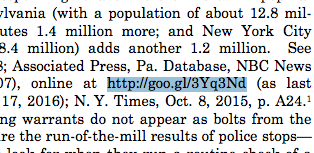
googl-snip

This seems to be the first instance where a URL shortener was used in a Supreme Court decision (The shortened URL was copied from the Respondent’s merits brief). Using a Google URL shortener, in addition to saving space and appearing shorter, raises additional considerations:

  • Google makes the analytics public for its shortened links. Any organization that uses a shortened Google link must consider whether or not they want these analytics public regarding those who access content through this link.
  • While Google may not control the content that is linked to, it does control the redirect URL. This means that Google can choose to change – or take down – the shortened URL as it deems fit.

The second is the use of a Perma.cc link in page 5 of this opinion:

perma-snip

(Perma link originally copied from the Petitioner’s brief). The Perma link does shorten the URL used, but more importantly, the linked content is archived and preserved through Perma’s library partners, ensuring the accuracy of the link for those who who cite this opinion in the future and removing the risk of link rot.

Update: Dual citation is a smart choice when available, too, as it allows the reader to view the source directly in the text (instead of having to click the link), and makes the source URL reachable directly from the citation rather than just potentially through the archive’s URL. Hat tip to Herbert Van De Sompel for pointing this out!

Any courts interested in using Perma to preserve the accuracy and permanence of links in their decisions should reach out to the team at info@perma.cc! We would be happy to assist you in creating an account; courts are eligible to create an unlimited amount of Perma links for their decisions.

Perma.cc – back at AALL!

Perma.cc will be back at the upcoming American Association of Law Libraries annual meeting in Chicago, spreading the good word of archiving and link preservation.

We will be sharing a table with our friends at LIPA on Saturday through Tuesday, July 16-19. Be sure to find us for some great Perma swag at table 819!

Slack for iOS Upload

Perma v0.67’s release: Internet Archive-ing Perma’s public links

Perma v0.67 has been released!

Alongside bug fixes, we’re excited to announce that all public Perma links are now additionally being archived at the Internet Archive.

Following the “Lots Of Copies Keep Stuff Safe” principle – where an abundance of copies helps secure the content’s longterm presence –  public Perma links are being archived at the Internet Archive. Perma archives are thus having their preservation further ensured by another trusted, not-for-profit digital library.

What’s this mean in practice? Perma links are automatically archived with the Internet Archive, 24 hours after creation (within the first 24 hours a Perma link creator still has the ability to delete a newly created link).

Questions? email the Perma team at info at perma.cc!

Perma v0.66 – it’s here! it’s here!

This week the Perma team released v0.66 of Perma.cc. Here are a few of the notable updates:

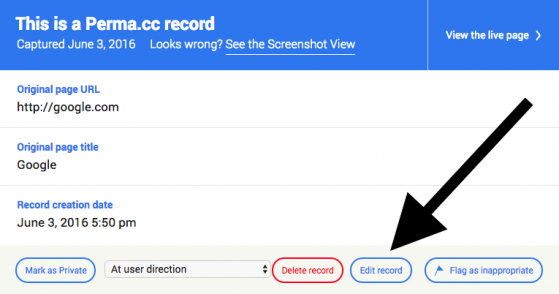
  • You can now edit a Perma link’s title and notes when the viewing the Perma link itself – not just in the link management area:
    When viewing a Perma link you own, click “Show record details” and you will be able to edit these fields there.
  • Admin tools are more robust, including the admin-side registrar approval process.
  • pywb, one of the tools used in the archiving process, has been upgraded on Perma.cc.

Questions? email the Perma team at info at perma.cc!

Perma’s v0.65 release: what’s new

This week the Perma team released v0.65 of Perma.cc. There have been multiple improvements to the system (160 Github commits in this week’s release!), including a few noteworthy updates:

  • Initial Javascript testing has begun
  • User and Organization lists now appear with pagination, as opposed to one continuous stream.
  • If the capture doesn’t look right, users are now able to replace the capture image within the first 24 hours of uploading.
    • To access this, view the newly-created record you’d like to update and click “Show record details” in the upper left. Then click Edit Record, which will give you the option to upload your own image:
      Screen Shot 2016-06-03 at 5.55.52 PM

Questions? email the Perma team at info@perma.cc!

Perma.cc Improvements

We’ve been hard at work improving Perma in ways big and small. We’re really excited to announce these improvements, and we want to give you overview of what’s changing.

So here goes…

Permanent Links by Default

We’ve closely studied the ins and outs of Perma Link creation, and we’ve decided to simplify the process by making all links permanent by default. As a result, every link you create will become permanent automatically, unless you delete it within a 24 hour period. You’ll no longer need to vest links. This should be a welcome simplification.

Here’s a before-and-after look at the link creation process:

The Old Way

Step 1 – Enter the URL and submit

Step 2 – Confirm the thumbnail image and click the Perma Link

Step 3 – Click the “Vest” button

Step 4 – Assign the Link to a vesting organization

Step 5 – Assign the Link to a folder

The New Way

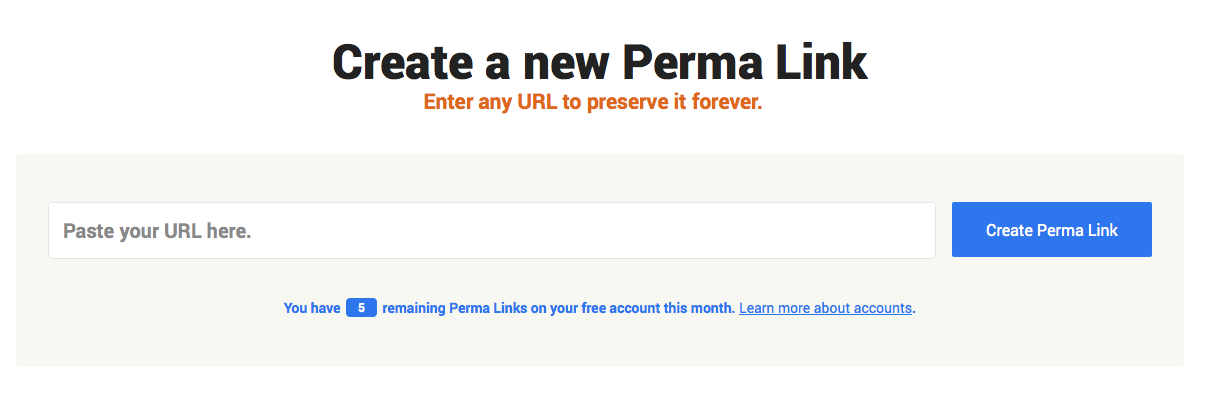
Step 1 – Enter the URL

That’s it. Just one step. When you enter the URL and submit, we preserve the page and take you directly to the preserved record. If you do nothing else, the link will be permanent. You can delete the link within 24 hours if you made a mistake or change your mind, but otherwise it stays put.

Archiving Organizations

Archiving organizations, previously called “vesting organizations,” and their affiliated users, previously called “vesting users,” will still be able to create unlimited links on behalf of their organizations. This change is more about labels than function. Organizations will still enjoy all the same benefits, capabilities and access they have now.

Individual Accounts

Perma.cc users will now be able to create up to 10 links per month using their individual accounts, in addition to any links they create on behalf of archiving organizations. These personal links will be permanent, as will any previously unvested links.

Visiting Perma Links

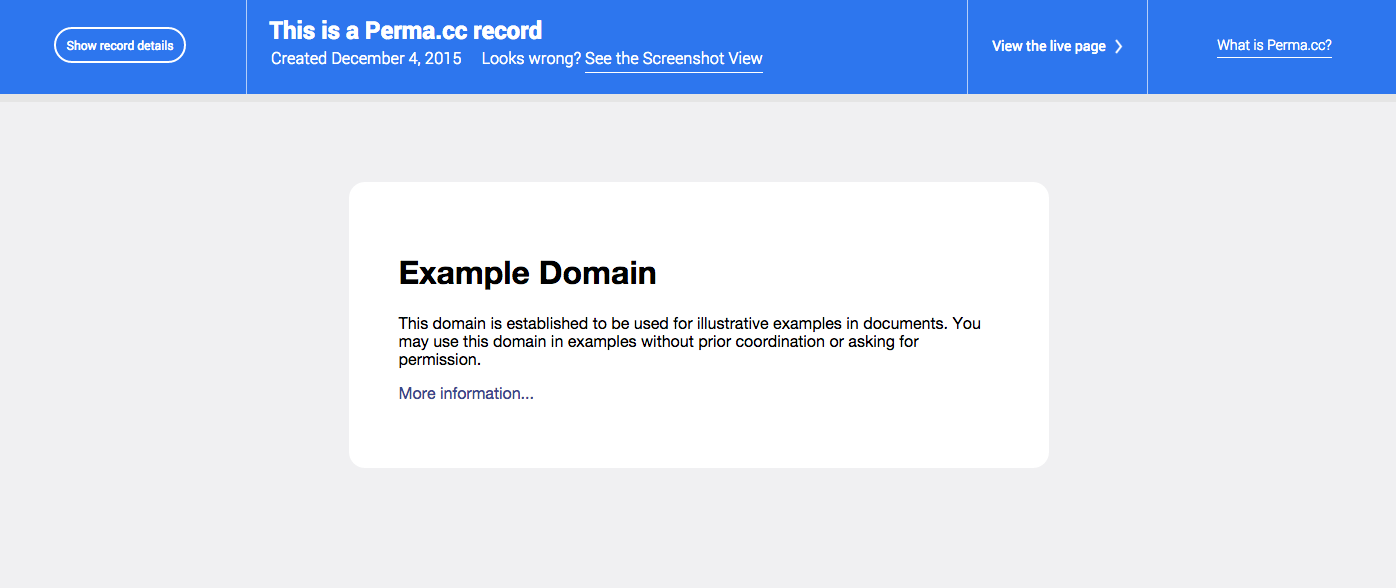
When you visit a Perma Link, you’ll be shown the web archive version of the preserved web page by default. You’ll still have easy access to the screenshot version and to the present-day live version, but the interface will be much more intuitive and easier to navigate, both for you and for readers who may have no familiarity with Perma.

Screen Shot 2015-12-11 at 7.58.50 AM

Managing Perma Links

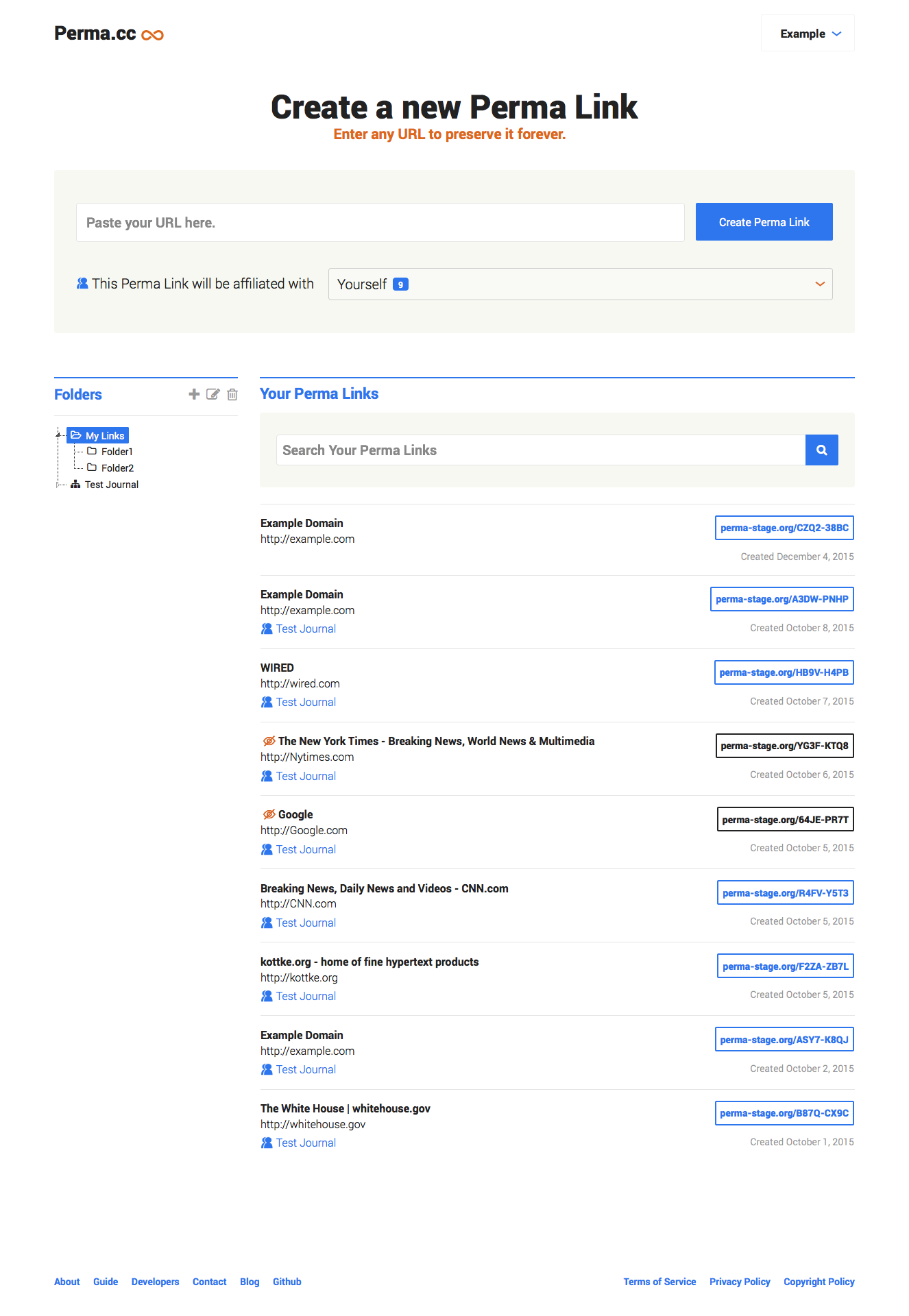
You’ll be able to access all of your and your organization’s links and folders from one screen, the same screen you use to create new Perma Links.

create_manage_links

Public & Private Links

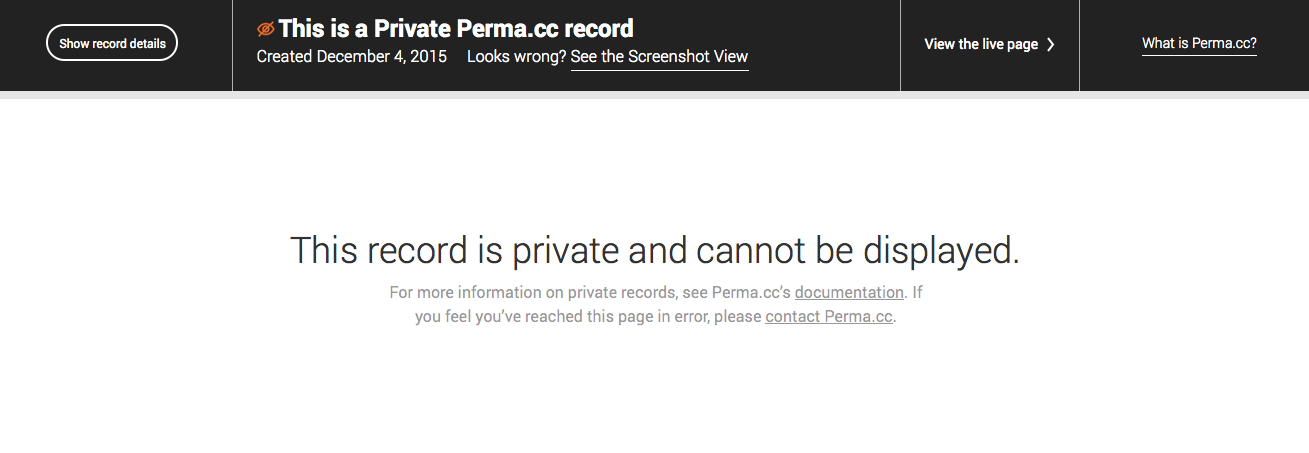
Links that are not publicly visible will be referred to as “private” rather than as being in the “dark archive.”

Screen Shot 2015-12-11 at 8.02.40 AM


This is just an overview of the highlights. We’ve made many other little improvements, and we’re really proud of the results. We expect the changes to go live early next week and look forward to your feedback. As always, thank you for you continued enthusiasm and support for Perma.cc!

The Perma.cc Team

Justice Alito and Link Rot

Link rot is a problem for all scholars, even Justices on the Supreme Court.  A recent study by the Harvard Law Review found that 25% of links cited in Supreme Court opinions had rotted.


Screen Shot 2015-08-04 at 11.01.53 AM

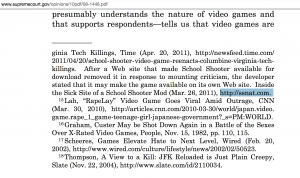
Brown v. Entertainment Merchants Association (2011) provides a particularly salient example of the problem. In his opinion, Justice Alito cited www.ssnat.com, a site that has since been altered, and now provides a commentary on the transience of information on the internet:

Screen Shot 2015-08-04 at 11.02.09 AM

Perma.cc enables scholars to ensure their links point to the sources that they intend, sign up today at https://perma.cc!

Perma Tutorial

Here’s an easy step-by-step guide to using Perma

Login here: perma.cc

Find something you’d like to cite.

Screen Shot 2015-07-31 at 11.08.15 AM

Copy the page link.

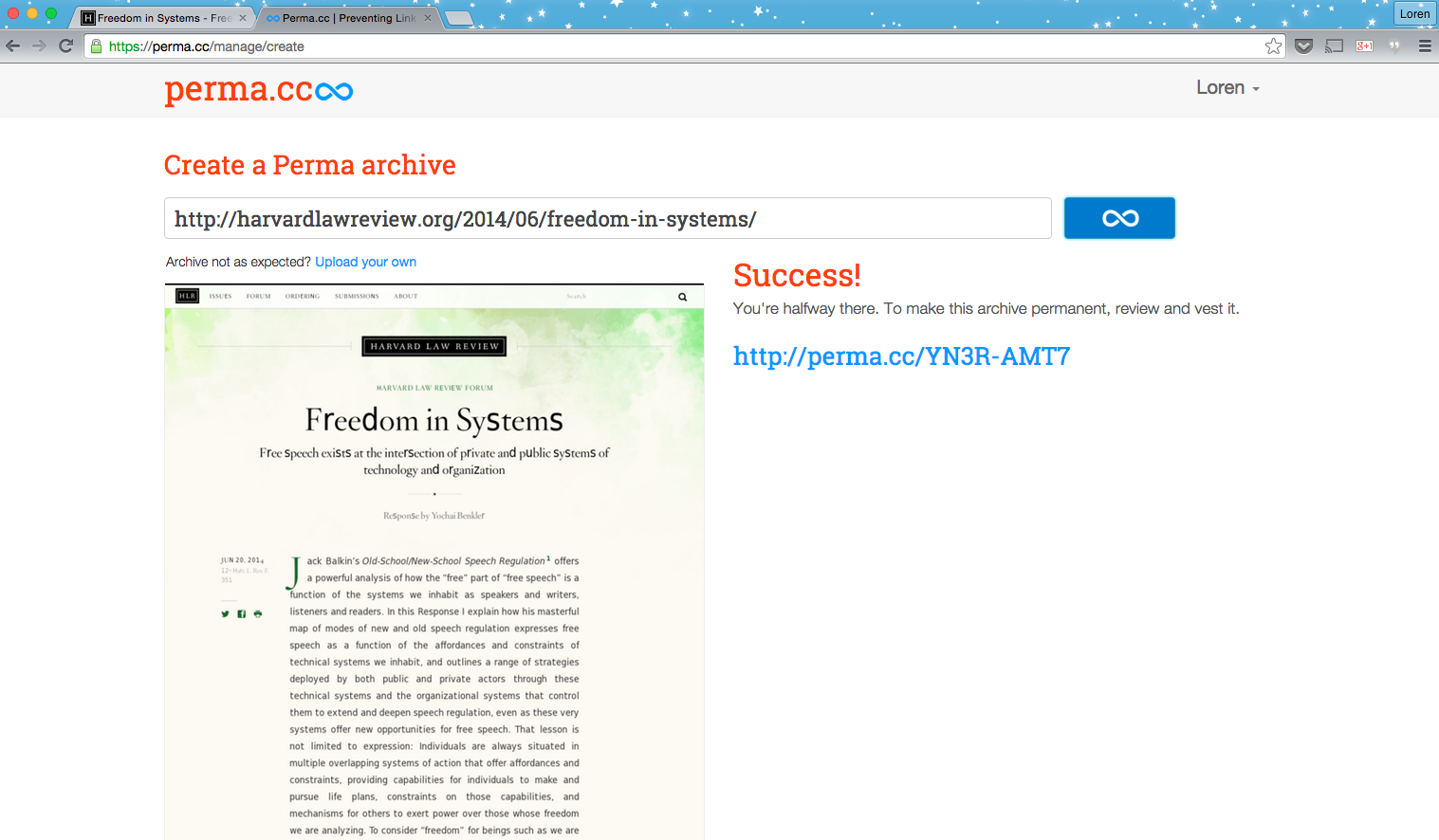
Paste the link into Perma and press the blue infinity button.

Screen Shot 2015-07-31 at 11.08.37 AM

Perma creates a copy of the webpage exactly as it is today, and gives you a link that will always point to this content, no matter what happens in the future.

Screen Shot 2015-07-31 at 11.09.05 AM


In this case our Perma link is created as: http://perma.cc/YN3R-AMT7.

When you visit that link in the future, you’ll always see the same content displayed.

Screen Shot 2015-07-31 at 11.09.19 AM

Use this link forever to point back to the original article. Fast and easy!

Almost 50% of American Law Schools Use Perma

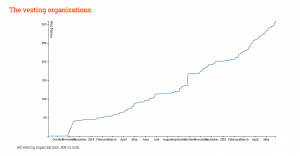
With 87 of the 206 ABA-approved law schools using Perma.cc to combat linkrot, the Perma network now includes more than 42% of law schools in the United States!

Interested in establishing your law school as a Registrar with Perma.cc?

Sign up here: https://perma.cc/libraries

Screen Shot 2015-07-31 at 10.52.11 AM

« Older posts Newer posts »

© 2026 Perma.cc Blog

Theme by Anders NorenUp ↑