
I am pleased to announce the 1.00.00 release of a new templated mega-menu provider. It is based on, and derives its functionality from, the default DNNMenu.
(more…)
I am pleased to announce the 1.00.00 release of a new templated mega-menu provider. It is based on, and derives its functionality from, the default DNNMenu.
(more…)
I am pleased to announce the publically-available preview of a new templated mega-menu provider. This preview is for internal evaluation only, and should not be used in production. A full release, including source, is expected at the end of the month.
The provider allows for marking one or more pages as being templated; during instantiation these templates are dynamically inserted into the page. The templates are highly flexible and may be deployed at the site, skin, or portal level. This allows for great flexibility in user experience.
The project is hosted on CodePlex and is located here.
By way of example, the default templates available allows styling of the DotNetNuke administrator menu as:
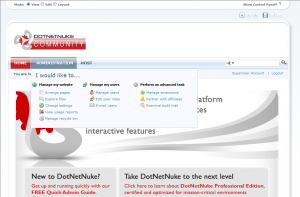
DotNetNuke DNNMenu Templated-Menu Provider Screenshot with Wide Rendering
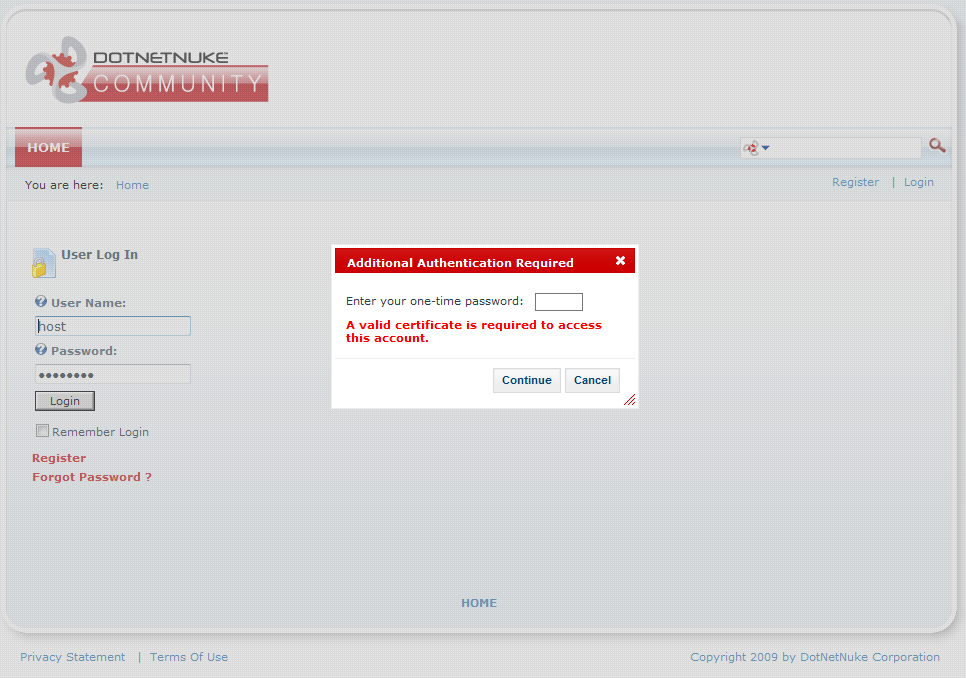
DotNetNuke Multifactor Authentication Requiring Password, One-Time SMS PIN, and X.509 Certificate
I am pleased to announce an initial release of a multi-factor provider for the DotNetNuke content management system.
This authentication provider allows a host to configure enhanced authentication (including SMS, SMTP, YubiKey, and X.509 certificates) for any number and combination of portal roles. Each factor must be fulfilled prior to authentication being granted, increasing overall security.
This package may be downloaded from it’s project site, located at http://dnnmultifactor.codeplex.com.
In a previous entry, I discussed a potential solution to a longstanding problem. The DotNetNuke CMS framework allows declaration of an object qualifier and database owner on a per-installation basis. This effectively varies the fully-qualified database entity names at runtime. Because the Linq to Sql system by default utilizes a class attribution approach, it does not lend itself well to such runtime adaptation.
Here I describe the steps necessary to use Linq to Sql within a DotNetNuke module in a reliable, distributable manner.
The .NET-supplied DataContext allows Linq to Sql development using the attributed model automatically generated by a Visual Studio designer. However, when deployed within DotNetNuke, these attributes do not pick up the database owner and object qualfier required by DotNetNuke. Because of this, large-scale deployment of modules using Linq to Sql is infesable, and modules using the technology are unfortunately limited to internal applications.
To rememdy this issue, I have developed an adapter that converts the attributed meta model generated by the designer into a DotNetNuke-compatable model that uses both the object qualifier and database owner specified by an end-installation.
 One of my (few) cavils about the DotNetNuke Content Management System is the organization of the administrator menu. Presenting an administrator with thirteen options (including somewhat inscrutable choices like “Extensions” and “Solutions”), is easily overwhelming for an often-technically unsophisticated administrator. Indeed, both feedback from users and log analysis have indicated that several of these options are rarely utilized and thereby serve only to clutter the interface and increase the learning curve.
In pre-5.0 versions, despite being persisted to the database like any other page, the admin menu is restricted to one level. This was a hardcoded limitation; though one could change the verbiage, order, or visibility of the items in the menu, one could not introduce additional levels of organization (without several changes to the core framework).
With DotNetNuke 5.0, however, because administrator pages are treated on-par with any other page on a site, an improvement in organization becomes possible. Herein I discuss the changes necessary to, in my opinion, improve the overall organization of the DotNetNuke administrator menu.
Editor’s note: This approach has been obsoleted in favor of the more straightforward, core-friendly ASP.NET 2.0 Localization approach outlined here.
DotNetNuke provided rich localization support (in the DotNetNuke.Services.Localization namespace) long before ASP.NET caught up in version 2.0. Indeed, the core DotNetNuke libraries and UI continue to heavily rely upon this custom implementation to this day.
However, after ASP.NET 2.0 was released, there were apparently a number of issues revolving around the new localization, backwards compatibility, and the existing DotNetNuke localization. As a result, the core team chose to disable all ASP.NET 2.0 localization at the application level and to rely exclusively upon its internal implementation. This is unfortunate, but understandable — the core team has a lot of audiences, and must balance the act of pleasing them all.
DotNetNuke localization is excellent, and for almost every scenario, I strongly recommend using this API. However, there do exist some niche circumstances that lend toward using ASP.NET 2.0 localization.
Fortunately, with a few small changes, it is possible to restore limited ASP.NET 2.0 functionality to your DotNetNuke installation. Herein I discuss these changes and their system-wide impact.
Before I begin, all the usual warnings apply: back up your data, attempt this only on a development machine, thoroughly test before entering production, et cetera, et cetera. Caveat lector!
With that, let’s get started. (more…)